Showing posts with label Creative Multimedia. Show all posts

Thursday, 15 May 2014

4 Cartooning tips by The Creator Of Calvin & Hobbes

1. You Have To Lose Yourself In Your Work
"My comic strip was the way that I explored the world and my own perceptions and thoughts. So to switch off the job I would have had to switch off my head. So, yes, the work was insanely intense, but that was the whole point of doing it."
2. Create For Yourself
"Quite honestly I tried to forget that there was an audience. I wanted to keep the strip feeling small and intimate as I did it, so my goal was just to make my wife laugh. After that, I'd put it out, and the public can take it or leave it."
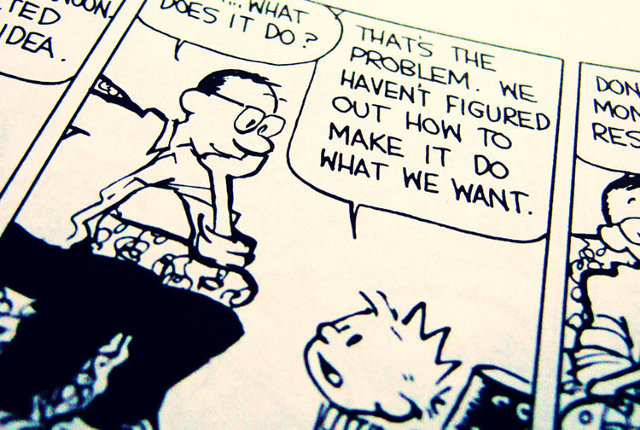
3. 3.Make It Beautiful
"My advice has always been to draw cartoons for the love of it, and concentrate on the quality and be true to yourself. Also try to remember that people have better things to do than read your work. So for heaven's sake, try to entice them with some beauty and fun."
4. Every Medium Has Power
"A comic strip takes just a few seconds to read, but over the years, it creates a surprisingly deep connection with readers. I think that incremental aspect, that unpretentious daily aspect, is a source of power."
What could be more inconsequential than a comic strip? Four or five static panels, minimal movement, a quick punchline. Yet Watterson (and many other comic strip artists) have managed to create incredible, meaningful worlds, worlds that are genuinely important to the people who read them. There's no such thing as a small medium.

Wednesday, 14 May 2014

Creative ways of solving UX problems


Usability at it's worst.

Someone call a creative multimedia designer with some serious UX to create some great UI here. 


THE BUTTONS
  • Yellow N button: Selects neutral from 1st or 2nd gear.
  • BRKBAL (brake balance) rotary switch: Adjusts the front and rear brake balance.
  • Black Box button: Confirms the driver’s intention to come to the pits.
  • Blue and orange S1/S2 buttons: These can be programmed for various funcutions.
  • Entry rotary switch: This allows the driver to make changes to corner entry settings of the differential.
  • Orange and green BRK-/BRK+ buttons: These change the brake balance between a programmed position and the current BRKBAL rotary position.
  • IGN (ignition) rotary switch: Controls ignition timing.
  • White ACK (acknowledge) button: Acknowledges changes in the system.
  • PREL (preload) rotary switch: Controls the preload differential offset torque.
  • Red Oil button: Transfers oil from the auxiliary tank to the main tank.
  • Black BP (bite point) button: Activates the clutch bite point finding procedure.
  • DRS (drag reduction system) button, upper left edge of the wheel: Activates the rear wing flap in the DRS zone.
  • Red PL (pit lane) button: Activates the pit lane speed limiter, limiting the car to the designated pit lane speed limit (typically 100 km/hr).
  • Black R button: Activates the driver radio transmission.
  • SOC rotary switch: Controls the state of charge of the ERS energy storage system, whether the system is generating or consuming energy.
  • Pedal rotary switch: Changes the pedal map dictating how the accelerator pedal responds to inputs.
  • Fuel rotary switch: Controls the rate of fuel consumption.
  • Black OT button: Activates configurable performance maps to assist the driver in overtaking or defending.
  • Tire rotary switch: Tells the ECU and other systems what type of tire the car is running on.
  • BBal-/BBal+ switches: These are used to make fine adjustments to the brake balance offset.
  • MFRS (multi-function rotary switch): This allows the driver and engineers to control a variety of systems that don’t require a dedicated buttons. They include engine modes (PERF), rev limiter (ENG), air-fuel ratio (MIX), turbo-compressor (TURBO), corner exit differential (VISCO), MGU-K recovery limits (BRK), MGU-K boost limits (BOOST), dashboard options (DASH), cruise control (CC, disabled for qualifying and the race), shift type (SHIFT), and the clutch bite point offset (CLU).
  • White -10/+1 buttons: These allow quick navigation of maps from the MFRS dial.

Thursday, 8 May 2014

Parallax Scrolling Templates and Websites

Parallax scrolling is definitely Creative Multimedia Programming at it's best in Website Design at the moment.

I have to say I really like Parallax Scrolling and have found some really creative, aesthetically pleasing site where loads of Creative Multimedia Programming has been used.

Templates, go ahead Creative Multimedia Programmers create your own content using templates to start off.
http://ibrandstudio.com/inspiration/amazing-one-page-parallax-scrolling-website-templates

One Page Love has links to 365 Parallax Pages. Enjoy browsing.
http://onepagelove.com/tag/parallax-scrolling

Fun Parallax Portfolios
http://www.onextrapixel.com/2014/01/20/interactive-portfolio-and-resume-websites-to-inspire-you/

Check out this cool bottle Parallax
http://bashooka.com/inspiration/35-awesome-parallax-scrolling-website-examples/


Scroll to play Gameboy
http://ihatetomatoes.net/happy-25th-birthday-game-boy/


True Detective (breakdown of the title sequence art)

I came across this title sequence while doing a project for college, I had never seen the series or title sequence and I was very drawn to it and the imagery used for it. So I was pleasantly surprised when I came across this I was delighted. I hope you all enjoy it too.


http://www.artofthetitle.com/title/true-detective/